ChatGPT Ads now has a multi-image ad format. Advertisers can put four to six square images into one ad, with a shared title, description and landing page. The format has started showing in Ads Manager, as Thomas Eccel noted on LinkedIn, crediting Bram Van der Hallen with spotting it. OpenAI hasn't published a launch announcement, but its help centre article on creating ads and its Ads API reference both document the format. The help centre lists it as an open beta.
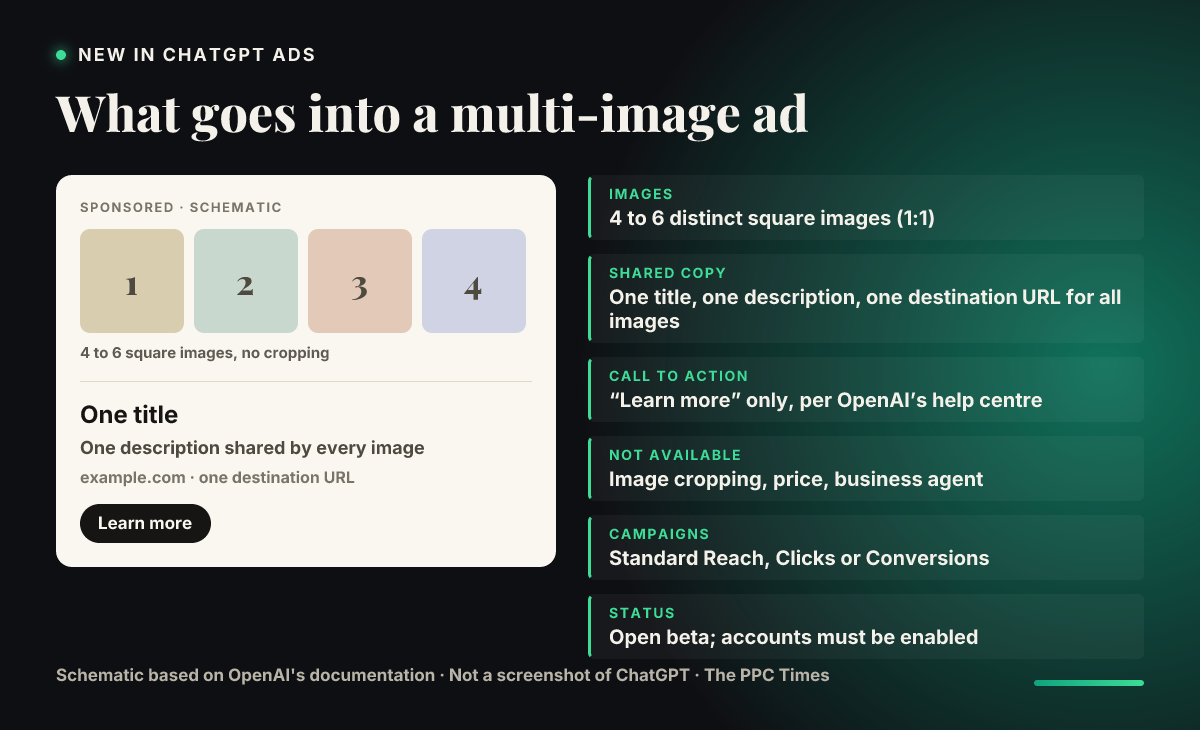
What's changing
A standard ChatGPT ad takes one image, set through a single file_id in the API. The new format, which OpenAI's documentation calls ads with multiple images, lets one ad hold a row of pictures instead. Based on the help centre and the API reference, the rules are:
- Images: four to six distinct square images, each at a 1:1 ratio. The API takes them as an ordered list, so the order you upload is the order the ad uses.
- Copy: one title, one description and one destination URL. The API reference says the title, body and destination URL "apply to every image", so you can't send each picture to a different product page.
- Call to action: OpenAI's help centre says "Learn more" is currently the only option for this format.
- No cropping: the API rejects the image crop setting on multi-image ads, along with the price and business agent fields. Eccel called the missing crop tool a nuisance. In practice your images need to be square before you upload them.
- Campaigns: the format works in standard Reach, Clicks and Conversions campaigns. The API reference says multi-image ads use fixed bidding unless an account is also enabled for automatic bidding with this format.
- Access: the account has to be enabled for multi-image ads. If you don't see the option, your account may not have it yet.
Two limits on editing are worth knowing. You can't turn an existing single-image ad into a multi-image one: OpenAI's API reference says to create a new ad instead. And for a multi-image ad, sending a new list of images replaces the whole set rather than adding to it.
The help centre says these ads show below a ChatGPT response.
Why it matters for advertisers
ChatGPT ads have so far given you one picture to make the case. Four to six images give retailers room to show a range, a product from several angles, or a before and after. Service businesses can use the extra frames to walk through steps. It also brings ChatGPT closer to the carousel-style formats media buyers already run on Meta and in Google's Demand Gen.
The restrictions shape how useful it is. A single landing page for every image means the format suits a category or collection page better than a set of separate products. The fixed "Learn more" button limits how hard the ad can push for a sale. And because the price field isn't allowed, you can't show prices through the ad's own fields even though the API accepts a price on other ad types.
What to do now
- Check Ads Manager for the multi-image option when you create a new ad in a Reach, Clicks or Conversions campaign. If it isn't there, your account likely isn't enabled yet.
- Prepare square assets at 1:1 before you start. With no crop tool, a landscape product shot will need resizing in your own design tool first.
- Point the ad at a page that covers every image, such as a collection or category page, since all images share one URL.
- Test it against your single-image ads in the same ad group rather than replacing them. Compare click-through and conversion rate before moving budget.
- API users: upload each image first, then pass the file IDs in the creative's
file_idslist, and plan to create new ads rather than editing existing single-image ones.